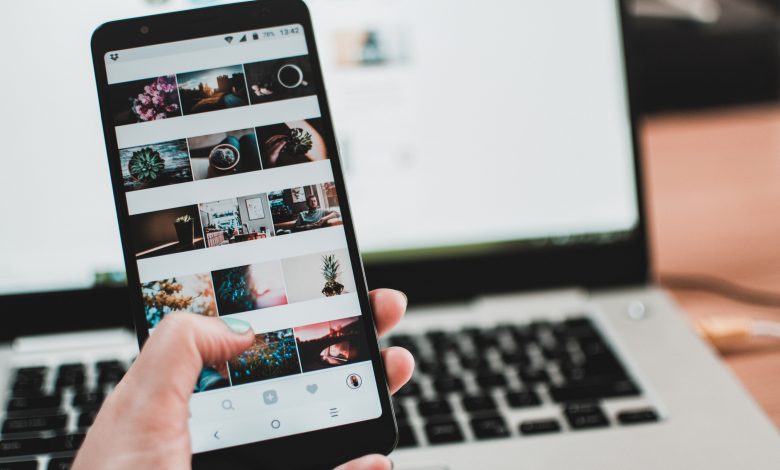
The fastest ways to increase Instagram engagement are to mix your content formats, measure the signals that matter (shares, saves and comments, not just likes), post on a steady schedule you can actually sustain, start real conversations, and partner with creators whose audiences overlap with yours. None of these tactics needs a big budget. What they need is a plan, a little testing and the patience to read your own numbers honestly.
If your posts look great but still land with a thud, the problem is rarely the quality of the photo. It is usually that the content is not giving people a reason to stop, react or pass it along. The five methods below are written for small brands, solo creators and local businesses, and each one includes practical steps you can try this week.
What “engagement” means on Instagram in 2026
Engagement is any action a person takes on your content beyond simply seeing it: liking, commenting, saving, sharing to Stories or DMs, replying to a Story, tapping a sticker, or following after viewing a Reel. Instagram does not publish a single formula, but its leadership has said publicly that different surfaces (Feed, Stories, Reels, Explore) rank content differently, and that signals such as how often a post is sent to friends, how long people watch, and how often they save it carry real weight.
A simple way to track progress is an engagement rate. The most common version is total interactions on a post divided by the number of accounts it reached, multiplied by 100. Some tools divide by follower count instead, which makes small accounts with viral posts look inflated, so pick one method and stick with it. Rates vary widely by industry and account size, so compare yourself mainly against your own previous month rather than against a number you saw quoted online.
1. Try different types of content
Instagram currently gives you several formats: single-image posts, carousels (multiple photos or clips in one post), Reels, Stories, Live, and broadcast channels for creators. IGTV no longer exists as a separate product; long-form video now lives inside Reels and the main video experience. If you only ever post one format, you are limiting both the ways people can find you and the ways they can respond.
Each format does a different job:
| Format | Best for | Engagement it tends to drive |
|---|---|---|
| Reels | Reaching people who do not follow you yet | Watch time, shares, new follows |
| Carousels | Tutorials, checklists, before-and-after, storytelling | Saves, time spent, comments |
| Single images | Announcements, product shots, quotes | Likes, quick comments |
| Stories | Behind the scenes, polls, daily updates | Replies, sticker taps, DMs |
| Live | Q&As, launches, workshops | Real-time comments, loyalty |
Carousels that combine still photos with short clips often perform well because they hold attention across several swipes, and many marketers find that mixing in videos gives a carousel a second chance to appear in feeds when the first slide did not get a reaction. That said, what works for a fitness coach may flop for a bakery, so treat any “best format” claim as a hypothesis to test, not a rule.
How to run a simple format test
- Pick one topic you know your audience cares about, such as “three ways to style one jacket.”
- Publish it as a Reel one week and as a carousel the next, at a similar time of day.
- After seven days, compare reach, saves, shares and comments for both.
- Repeat with two or three other topics before drawing conclusions. One post is an anecdote; five is a pattern.
User-generated content (customers’ photos, reviews turned into graphics, reposted Stories with permission) and light humor such as relevant memes are also worth testing. They signal that real people use and enjoy what you offer, which tends to invite more comments than polished brand shots.
2. Look past the likes
Likes are the easiest metric to see and the least informative. A double tap takes a fraction of a second and costs the viewer nothing. The deeper signals tell you far more about who actually values your content:
- Comments show that someone cared enough to type. Long comments and replies to other commenters are even stronger.
- Saves mean the post was useful enough to come back to. Recipes, guides and checklists usually lead here.
- Shares and sends mean the viewer put their own reputation behind your post by passing it to a friend. This is one of the clearest signs of content worth distributing.
- Profile visits and follows after a post show it made people curious about you, not just the single piece of content.
Shares and saves are private, so many businesses ignore them because they cannot be shown off. That is a mistake. They are visible to you in Insights (you need a free professional account, either Business or Creator), and they are exactly the kind of behavior that helps a post get shown to more people. Review them at least once a week and ask: which posts got saved most, and what did they have in common?
A practical habit: at the end of each month, sort your posts by shares, then by saves. Write down the top three in each list and the topic, format and hook they used. Make more of whatever keeps appearing.
3. Be consistent, but not relentless
Accounts that post regularly give followers a reason to keep checking in, and they give you more data to learn from. Consistency does not mean posting every day, though. Many small accounts see engagement drop when they increase volume past what they can do well, because rushed posts get less response and drag the average down.
A realistic starting rhythm for a small business or solo creator looks like this:
- Two to four feed posts or Reels per week
- Stories on most days, even if it is just one or two frames
- One “hero” piece per week that you put extra effort into, such as a detailed carousel or a well-edited Reel
Batch your work to make this sustainable. Spend one session planning topics for the month, one filming or shooting, and one editing and scheduling. Meta’s own scheduling tools let you plan posts and Reels in advance, so you are not scrambling each morning. Check the “Most active times” chart in Insights and schedule around it, then adjust based on results.
If you struggle to fit content creation into a busy week, the same planning habits that help with other work apply here too; our guide to tips to help increase your work productivity covers time blocking and batching in more detail.
4. Start and sustain conversations
Posting and walking away rarely works. Instagram is a social network, and people respond to accounts that talk back. Build conversation into the post itself and into the hour after you publish.
Write captions that invite a reply
End with a specific, easy question rather than a vague “Thoughts?” Compare “What do you think?” with “Which flavor would you try first, the lemon or the salted caramel?” The second gives people a simple choice and a reason to answer. Other prompts that work: “Tag the friend who always does this,” “Tell us your city and we’ll recommend a spot,” or “Wrong answers only.”
Use interactive Story stickers
Polls, quizzes, emoji sliders and question boxes lower the effort required to engage to a single tap. Answers to the question sticker can then become material for your next post, which closes the loop and shows followers you are listening.
Reply quickly and properly
Try to respond to comments in the first hour or so after posting, when activity is highest. Reply with a real sentence or a follow-up question instead of a single emoji, and answer DMs within a day. Each reply adds to the conversation under the post, and it makes the commenter more likely to engage next time.
Avoid engagement bait that Instagram and Meta discourage, such as “Comment YES if you agree” posts or comment pods where groups agree to engage with each other artificially. They can inflate numbers briefly but tend to attract low-quality interactions that do not turn into customers.
5. Partner with creators and other accounts
Collaborations put your content in front of an audience that already trusts someone else. The Collab feature lets two accounts co-author a post or Reel so it appears on both profiles and shares its likes and comments, which is one of the simplest ways to reach new people without paying for ads.
You do not need a celebrity. Micro and nano creators (roughly a few thousand up to the tens of thousands of followers) often have closer relationships with their audience, charge less or accept product in exchange, and come across as more authentic. Fees vary a lot by niche and region, so ask for a rate card and past results rather than assuming a price.
When choosing partners, check:
- Whether their followers match your customers by location, age range and interests
- The quality of comments on their posts (real conversations, not generic emoji strings)
- How they disclose paid partnerships. In the US, the FTC expects clear disclosure, and Instagram’s “Paid partnership” label helps with that
- Whether their tone fits your brand
Non-creator partnerships count too. A coffee shop and a nearby bookstore can run a joint giveaway, co-host a Live, or swap Story takeovers. These local cross-promotions often bring in followers who are more likely to visit in person.
Common mistakes that quietly hurt engagement
- Buying followers or likes. Fake accounts never engage, so your engagement rate falls and real followers see less of your content.
- Weak first seconds. On Reels, the opening line or image decides whether people keep watching. Lead with the payoff or the problem.
- Hashtag stuffing. A handful of relevant hashtags helps with categorization; dozens of unrelated ones do not.
- Reposting watermarked TikToks. Instagram has said it favors original content, so upload clean files.
- Ignoring accessibility. Add captions to videos and alt text to images. Many people watch with sound off.
Putting it together: a 30-day plan
Week one, switch to a professional account if you have not already and record your baseline reach, saves, shares and comments. Week two, run the format test described above. Week three, add one interactive Story per day and commit to replying to every comment within a few hours. Week four, reach out to two or three potential collaboration partners and publish at least one joint post. At the end of the month, compare your numbers with the baseline and keep what moved the needle.
Instagram works best as part of a wider plan. If you are weighing where it fits alongside other channels, see our overview of the benefits of digital marketing for small businesses, and if short video is working for you, the ideas in best practices to fortify your brand’s presence on TikTok carry over well to Reels.
Frequently asked questions
What is a good engagement rate on Instagram?
It depends heavily on your industry, account size and how you calculate it. Smaller accounts usually see higher rates than large ones. The most useful benchmark is your own average over the past few months, and the goal is steady improvement.
How often should I post to increase engagement?
For most small accounts, two to four feed posts or Reels a week plus regular Stories is a sustainable starting point. Quality and consistency matter more than raw volume.
Do Reels get more engagement than photos?
Reels are usually better at reaching non-followers, while carousels often earn more saves and comments from existing followers. Test both with the same topic to see what your audience prefers.
Does buying followers help engagement?
No. Purchased followers are typically inactive or fake, so they lower your engagement rate and can reduce how often your posts are shown to real people.
Are hashtags still useful on Instagram?
A few relevant hashtags can help Instagram understand what a post is about, but they are a minor factor. Strong content, a clear caption and good keywords in your caption and profile usually matter more.