Good employee management tools simplify workforce administration by replacing spreadsheets, paper forms and scattered email threads with one system for time tracking, payroll, leave, onboarding, performance and communication. The result is fewer manual errors, faster approvals and more time for managers to actually manage people. Below are 12 specific ways these tools reduce the admin load, with practical examples and tips for choosing a platform that fits your team.
What counts as an employee management tool
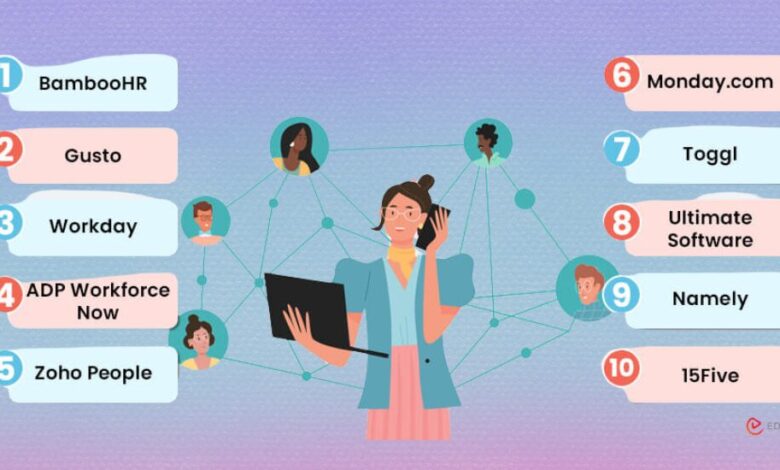
The term covers a family of software. Some companies use one all-in-one human resources information system (HRIS); others combine several specialized tools. The main categories are HRIS and core HR (BambooHR, Zoho People, Workday), payroll and benefits (Gusto, ADP, Paychex), time and scheduling, performance management (15Five, Lattice), task and project tools (Asana, Monday.com, Trello) and team communication platforms such as Clariti, Slack and Microsoft Teams. The best setup is the one your people will actually use, connected so data only needs to be entered once.
1. Streamlining communication and collaboration
A lot of administrative time is lost hunting for the latest message, file or decision. Communication platforms that keep chats, emails, documents and calls organized by topic reduce that friction. Clariti, for example, groups related conversations and files into topic-based threads so a policy update or project discussion stays in one place. Whatever tool you use, set simple rules: which channel for urgent issues, where announcements live and where files are stored.
2. Automating time and attendance tracking
Digital time clocks, mobile clock-in and geofencing for field teams replace paper timesheets and the errors that come with them. The system can flag missed punches, calculate overtime and feed approved hours straight into payroll. In the U.S., accurate records of hours worked are also a legal requirement under the Fair Labor Standards Act for non-exempt employees, so good tracking reduces compliance risk as well as admin time.
3. Simplifying payroll and compliance
Payroll platforms calculate wages, withhold federal, state and local taxes, handle direct deposit and generate year-end forms such as W-2s. Many also file payroll taxes on your behalf. That matters most for businesses with employees in several states, each with different withholding, unemployment insurance and paid leave rules. Software does not remove your responsibility for compliance, but it lowers the chance of missed deadlines and calculation errors.
4. Centralizing employee records
An HRIS stores personal details, job history, compensation, certifications and documents in one secure place, with access limited by role. Instead of searching shared drives, a manager can pull up an employee’s training records in seconds, and HR can run a report on upcoming certification renewals. Centralization also makes it easier to follow record retention rules and protect sensitive data.
5. Automating leave and time-off requests
Employees request time off in an app, see their remaining balance and get a quick decision. Managers see team calendars before approving, which prevents three people from being out the same week. Accrual rules are applied automatically, which is especially helpful in states and cities with mandatory paid sick leave that uses specific accrual rates.
6. Making onboarding consistent
Onboarding has many moving parts: offer letters, Form I-9 and W-4, policy acknowledgments, equipment, accounts and training. Onboarding workflows send documents for e-signature before day one, assign tasks to IT and managers, and give new hires a checklist. Every new employee gets the same experience, and nothing is forgotten.
7. Supporting performance reviews and goal setting
Performance tools replace annual review forms that nobody remembers with regular check-ins, shared goals and a running record of feedback. Managers write better reviews because notes from the whole year are in one place. Regular recognition and feedback also support engagement; our guide on how to keep employees engaged at work covers the people side of this.
8. Simplifying task assignment and tracking
Task boards and project tools show who owns what and when it is due. Managers spend less time asking for status updates, and employees can see priorities without waiting for a meeting. Automated reminders and dependencies keep work moving across time zones.
9. Enabling employee self-service
Self-service portals let employees download pay stubs, update addresses and bank details, change tax withholding, enroll in benefits and find policies on their own. Each self-service action is one less email to HR. Employees generally prefer it too, because they get answers immediately.
10. Providing real-time reports and analytics
Once data lives in one system, reports that used to take days become dashboards. Useful views include headcount, overtime trends, absence patterns, time to hire and turnover by team. Patterns in this data can signal problems early; our article on the hidden signs employees may be leaving explains what to watch for.
11. Managing training and development
Learning management features assign required courses such as safety or harassment prevention training, track completion and send reminders before certifications expire. For regulated industries, this creates an audit trail with little manual effort. Development plans can also be linked to performance goals so training is tied to real growth.
12. Coordinating remote and hybrid teams
Distributed teams depend on clear, written, searchable communication. Shared calendars, desk booking, status indicators and threaded discussions help people collaborate without being in the same room at the same time. Employee management tools that bring conversations, documents and tasks together make it easier for remote employees to stay informed and for managers to spot who needs support.
Before and after: what changes day to day
| Task | Manual process | With employee management tools |
|---|---|---|
| Timesheets | Paper or spreadsheet, re-typed into payroll | Digital clock-in, approved hours sync to payroll |
| Time off | Email request, manual balance tracking | App request, automatic balances and calendar |
| Onboarding | Printed forms and ad hoc checklists | E-signature packets and assigned tasks |
| Pay stubs and updates | Emails to HR | Employee self-service portal |
| Reports | Compiled by hand from several files | Live dashboards |
How to choose the right tools
- List your biggest time sinks first. Buy for the problems you have, not every feature on the market.
- Check integrations. Payroll, time tracking and HRIS should share data so nothing is entered twice.
- Look at security. Ask about encryption, role-based access, single sign-on and certifications such as SOC 2.
- Understand pricing. Many tools charge per employee per month, with add-ons for payroll or advanced reporting. Get a full quote for your headcount.
- Run a pilot. Test with one team for a few weeks and gather feedback before rolling out company-wide.
- Plan the rollout. Clean up your data, train managers first and set a date when the old process stops.
Common mistakes when adopting new tools
- Buying too much at once. Rolling out payroll, performance, scheduling and a new chat tool in the same month overwhelms people. Stagger launches.
- Migrating messy data. Duplicate records, outdated job titles and wrong pay rates carry straight into the new system. Clean them first.
- Keeping the old process alive. If paper timesheets remain an option, many people will keep using them. Set a clear cutover date.
- Skipping manager training. Managers approve time, leave and reviews, so if they do not use the system, nobody else will.
- Ignoring employee privacy. Be transparent about what data is collected, especially with location tracking or activity monitoring, and follow applicable state privacy laws.
A simple way to measure success is to record a baseline before launch, such as hours spent on payroll each cycle, average time to approve leave or number of HR emails per week, and compare it after three months.
Technology works best alongside solid HR practices. For the policy and culture side, see our HR management advice for a successful business.
Frequently asked questions
What is an employee management tool?
It is software that handles workforce administration tasks such as time tracking, payroll, leave, employee records, onboarding, performance and team communication, either in one platform or several connected ones.
Are employee management tools worth it for small businesses?
Often, yes. Even a team of ten can lose hours each week to manual payroll, timesheets and time-off tracking, and many tools offer pricing tiers built for small teams.
What is the difference between an HRIS and employee management software?
An HRIS is the core system of record for employee data. Employee management software is a broader term that can also include communication, scheduling, task and performance tools.
Do these tools help with compliance?
They help by keeping accurate time and pay records, automating tax filings and tracking required training, but the employer remains responsible for following labor and tax laws.
How long does it take to implement employee management software?
Simple tools can be running in days. A full HRIS and payroll switch commonly takes several weeks to a few months, depending on company size and how clean existing data is.