When starting a new home office, the items most worth buying are an ergonomic chair, a desk at the right height, a good headset, an external keyboard and mouse, a laptop stand or monitor, decent lighting, and a way to manage cables. Buy them roughly in that order: comfort and posture first, then the tools that make calls and focused work easier, then the finishing touches. This guide explains what to look for in each item, what to spend on and where you can save, with a checklist at the end.
Start with a quick plan
Before you order anything, answer three questions. How many hours a day will you be at the desk? How much of your day is spent on calls? And how much space do you really have? Someone taking back-to-back video meetings from a spare bedroom needs a different setup from someone doing a few hours of email at a kitchen corner. Measure the space, note where the outlets and windows are, and check whether your employer offers a home office stipend or equipment program before you pay out of pocket.
| Item | Priority | Where to spend, where to save |
|---|---|---|
| Ergonomic chair | Essential | Spend: it affects your back every day |
| Desk at the right height | Essential | Moderate: a simple desk is fine if the height works |
| Headset | Essential if you take calls | Moderate: prioritize the microphone |
| External keyboard and mouse | Essential with a laptop | Save: good mid-range models are widely available |
| Laptop stand or external monitor | Highly recommended | Stand is cheap; a monitor is a bigger but worthwhile upgrade |
| Lighting | Highly recommended | Save: a good desk lamp goes a long way |
| Cable management | Nice to have | Save: clips, sleeves and a tray are inexpensive |
1. An ergonomic office chair
If you are working from a dining chair or a folding chair, this is the single most important upgrade. You will sit in it for thousands of hours a year, and poor support shows up quickly as lower-back ache, stiff shoulders and fidgeting.
Look for:
- Adjustable seat height so your feet rest flat on the floor with knees roughly level with your hips.
- Lumbar support that sits in the curve of your lower back, ideally adjustable.
- Seat depth that leaves a few finger-widths between the front edge and the back of your knees.
- Adjustable or removable armrests that let your shoulders relax and do not stop you pulling close to the desk.
- Breathable material, such as mesh, if your room gets warm.
Premium ergonomic chairs are expensive new, but many are built to last a decade or more and turn up at a fraction of the price on the refurbished and office-liquidation market. If you can, sit in a chair before you buy, or choose a retailer with a generous return window. For more on matching furniture to your space, see these ideas on how to buy office furniture that boosts aesthetics.
2. A desk at the right height
The best desk is the one that lets your forearms rest roughly parallel to the floor while typing, with your shoulders relaxed. For many adults a standard desk height works with a well-adjusted chair, but taller and shorter people often need something adjustable.
A sit-stand desk lets you change position through the day, which many people find more comfortable. You do not need to stand all day; alternating is the point. If a full desk is out of budget, a desktop converter that sits on an existing table is a cheaper option. Make sure the surface is deep enough for a monitor at arm’s length.
3. A good headset or headphones
For anyone on regular video or phone calls, a headset is not a luxury. Laptop microphones pick up echo, keyboard clatter and household noise, and laptop speakers can create feedback. A dedicated office headset keeps your voice clear to others and helps you hear them without turning the volume up for the whole house.
- Microphone quality matters most. A boom mic that sits near your mouth usually beats one built into the earcup.
- Noise cancellation helps if you share your space with family, pets or street noise.
- Comfort counts over long days: look at weight, clamping force and ear-pad material.
- Connection: USB or a USB dongle is often the most reliable for calls; Bluetooth is convenient if you move between laptop and phone.
- Certification for platforms such as Microsoft Teams or Zoom can make call controls work more smoothly.
If your audio still sounds off after upgrading, check your computer’s settings. These tips on optimizing a Windows computer for better sound cover the basics.
4. An external keyboard and mouse
Laptop keyboards and trackpads are fine for short sessions, but they force you to hunch toward the screen. An external keyboard and mouse let you position the screen at eye level and your hands at a comfortable height, which is the foundation of a good posture setup.
- Wireless or wired: wireless reduces clutter; wired never needs charging.
- Multi-device keyboards can switch between a laptop, tablet and phone at the press of a key, which is handy if you juggle devices.
- Mouse shape: choose one that fits your hand. Vertical and trackball mice suit some people with wrist discomfort.
- A mouse pad gives smoother tracking and protects the desk; one with a gel rest can help if you rest your wrist while mousing.
5. A laptop stand, a second monitor, or both
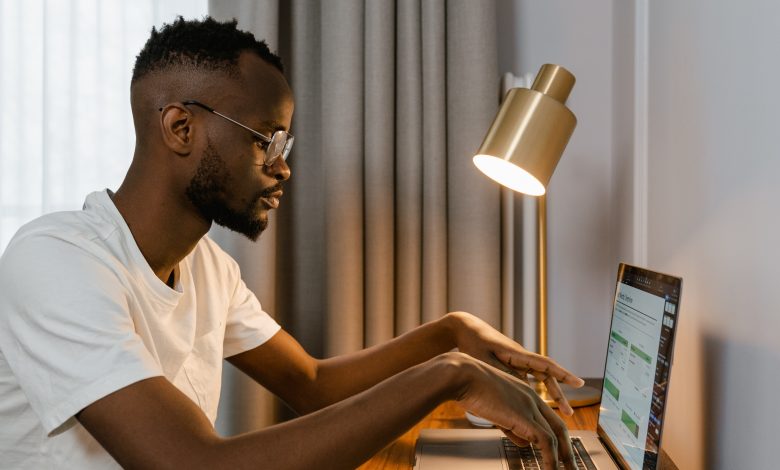
The top of your screen should sit at or slightly below eye level, about an arm’s length away. With a laptop on a desk, it almost never does. A simple adjustable stand raises it to the right height for very little money.
An external monitor is the bigger productivity upgrade. With two screens you can keep a document open beside a video call, or compare spreadsheets without constant switching. Most modern laptops connect through HDMI or USB-C (often with DisplayPort support); older displays may need an adapter. A 24- to 27-inch monitor suits most desks. If you go dual-screen, put the one you use most directly in front of you.
6. Lighting and a webcam
Poor lighting causes eye strain and makes you look shadowy on camera. Place your desk so natural light comes from the side rather than directly behind you or behind the screen, which causes glare. Add an adjustable desk lamp for evenings. For calls, a small light facing you from behind the screen makes a noticeable difference. If your laptop camera is grainy, an inexpensive external webcam mounted at eye level is a worthwhile upgrade.
7. Cable management and power
A home office gathers cables fast: chargers, monitor leads, a router, a printer, lamps. Tangled wires look messy, collect dust and can be a tripping hazard. Inexpensive fixes include an under-desk cable tray, adhesive clips, reusable Velcro ties and a cable sleeve that bundles several cords into one. Use a surge-protected power strip, and consider a USB-C dock or hub so your laptop connects to everything with one cable.
Useful extras
- Footrest, if your feet do not rest flat once your chair is at the right height.
- Storage such as a filing drawer or shelves to keep the desk clear.
- Printer and scanner, if your work involves signing or mailing documents.
- Whiteboard or planner for tasks and deadlines.
- A plant and a comfortable temperature, since a space you enjoy is easier to work in.
- A reliable internet connection, with a wired Ethernet cable or mesh Wi-Fi if the signal is weak in your office room.
Set it up correctly
Buying the right items is half the job; adjusting them is the other half. Set your chair height first, then the desk or keyboard height so your elbows are at about 90 degrees, then raise the screen so the top is at eye level. Keep frequently used items within easy reach. Take short breaks to stand and stretch, and look away from the screen regularly to rest your eyes. Good habits make a bigger difference than any single gadget; these tips to increase your work productivity are a good companion to a new setup.
Home office starter checklist
- Adjustable ergonomic chair
- Desk or sit-stand converter at the right height
- Headset with a clear microphone
- External keyboard, mouse and mouse pad
- Laptop stand and, if possible, an external monitor
- Desk lamp and, for calls, a front-facing light
- Surge protector, dock or hub, and cable organizers
Frequently asked questions
What should I buy first for a home office?
Start with an adjustable ergonomic chair and a desk at the right height. Then add a headset if you take calls, followed by an external keyboard, mouse and a way to raise your screen.
Do I really need a second monitor?
Not necessarily, but many people find it saves time when they work across several documents or apps at once. A single large monitor is a good middle ground.
Is a headset better than laptop audio for calls?
Usually yes. A headset with a microphone near your mouth picks up less background noise and echo, so others hear you more clearly.
How high should my monitor be?
The top of the screen should be at or slightly below eye level and roughly an arm’s length away, so you look straight ahead or slightly down.
How can I save money setting up a home office?
Check for an employer stipend, buy a quality refurbished chair, choose mid-range keyboards and mice, and use a laptop stand instead of a new monitor at first.