Integrating automation with a fiber laser system means letting machines handle the parts of marking and engraving that slow people down: loading parts, positioning them, pulling the right serial number or barcode, and checking that each mark is readable. Done well, it can multiply throughput and nearly eliminate marking errors, without changing the laser itself. The key is to automate the handling and data around the laser, one step at a time, rather than buying a fully robotic cell before you know where your real bottleneck is.
This guide covers how fiber lasers work, the main levels of automation, the equipment involved, a realistic way to estimate payback, and the mistakes that trip up first-time projects.
Why fiber lasers suit automation
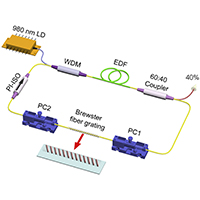
A fiber laser generates its beam inside an optical fiber doped with rare earth elements, typically at a wavelength around 1,064 nanometers. For marking and engraving, the beam is steered by a pair of fast galvanometer mirrors (a galvo head) rather than by moving the whole machine, which is why fiber markers can write text, logos and 2D codes in a second or two.
Several traits make them a natural fit for automated production:
- Very little maintenance: there are no mirrors to align in the resonator and no gas or lamps to replace, so a well-installed source can run for tens of thousands of hours.
- Non-contact marking: the part is not touched, so there is no tool wear and no fixture pressure that might shift delicate components.
- Software control: every mark is generated from a file or data field, which means the content can change part to part without stopping the line.
- Permanence: marks on metals and many plastics survive heat, abrasion and cleaning, which is why they are used for traceability in automotive, aerospace and medical manufacturing.
If you are still choosing equipment, it helps to understand the difference between a basic desktop unit and an industrial marker. A compact fiber laser engraver is usually enough for small-batch jobs and prototyping, and many of the same machines can be connected to simple automation such as rotary attachments or foot-pedal and I/O triggers once volumes grow.
Q-switched vs MOPA fiber lasers
Most marking lasers fall into two families. Q-switched fiber lasers are the workhorse for deep engraving and standard marks on steel, aluminum and brass. MOPA (master oscillator power amplifier) lasers let you adjust pulse duration, which makes it possible to create color marks on stainless steel, crisp black marks on anodized aluminum, and cleaner results on sensitive plastics. For automation, both behave the same way; the choice depends on the materials and mark quality you need.
Levels of automation
Automation is not all or nothing. Most shops move through stages as volume justifies the investment.
| Level | What is automated | Typical fit |
|---|---|---|
| Manual | Operator loads each part, opens the job file, starts the mark | Prototypes, custom gifts, low volume |
| Semi-automated | Fixtures or rotary axis, jobs triggered by a sensor or PLC, serial numbers auto-increment | Small to medium batches, repeat parts |
| Inline | Laser marks parts moving on a conveyor (“marking on the fly”), with a camera for code verification | Packaging, high-volume components |
| Fully automated cell | Robot or feeder loads and unloads parts, vision locates each part, data flows to and from the MES | High volume, strict traceability (automotive, medical) |
Many operations get most of the benefit at the semi-automated level. A good fixture and automatic serialization alone can cut per-part handling time dramatically and remove the most common source of errors: an operator typing the wrong number.
The building blocks of an automated laser cell
Part handling
- Fixtures and nests hold parts in exactly the same position every time, which is essential for consistent marks.
- Rotary axes turn cylindrical parts such as tumblers, pipes and tool handles so the laser can mark all the way around.
- Indexing tables let an operator load one station while the laser marks another, so the laser rarely sits idle.
- Conveyors and robotic arms move parts in and out without human handling, useful for heavy parts or high volumes.
Positioning and focus
A laser only marks cleanly at the right focal distance. Motorized Z-axes and autofocus systems adjust height automatically when parts of different sizes run on the same machine. Vision systems can find each part’s position and rotation, then shift the mark to match, which reduces the need for expensive precision fixtures.
Data and software
This is where automation often pays off most. Marking software can pull serial numbers, lot codes, dates and 2D Data Matrix codes from a database, spreadsheet or manufacturing execution system (MES). It can also send back a record of what was marked and when. Common integration methods include digital I/O signals from a PLC, TCP/IP or serial commands, and software development kits for custom applications.
Verification
For traceability work, a mark is only useful if it can be read. Inline cameras and code verifiers read each barcode or Data Matrix code immediately after marking and grade its quality. Direct part marks on metal are often graded under the AIM DPM quality guideline (ISO/IEC TR 29158). Failing parts can be rejected automatically before they leave the cell.
Where automated fiber laser marking is used
- Automotive: VINs, part numbers and 2D codes on engine, brake and chassis components so each part can be traced back to its batch.
- Electronics: serial numbers and codes on connectors, housings and circuit boards, where marks must be small and precise.
- Aerospace: permanent identification on safety-critical parts that must survive heat and harsh environments.
- Medical devices: unique device identification (UDI) marks on surgical instruments and implants, which FDA regulations require on many reusable devices.
- Consumer goods and packaging: date codes, logos and personalization at line speed.
Estimating the payback
A realistic return-on-investment estimate keeps an automation project honest. A simple way to build one:
- Measure current cycle time per part, including loading, job selection, marking and unloading, not just the laser’s marking time.
- Estimate the new cycle time with the automation you are considering. Suppliers can often run sample parts to give real numbers.
- Multiply the time saved by annual volume and your fully loaded labor cost per hour.
- Add savings from fewer errors, such as scrapped parts, rework and misidentified shipments, which are often larger than expected.
- Compare the total annual savings with the cost of equipment, integration, training and downtime during installation.
As a rough guide, entry-level fiber marking machines for small businesses often cost a few thousand dollars, while integrated industrial cells with robots, vision and enclosures commonly run into the tens of thousands or more. Prices vary widely by power, brand, safety enclosure and integration work, so get quotes based on your actual parts.
If you are also looking at how automation affects the rest of the business, our guide on increasing work productivity covers the people side of getting more done, and data governance best practices is useful if your marking data will feed a traceability system.
Safety and compliance
Most marking lasers are Class 4 devices, which means direct or reflected beams can cause eye injury and burns. Automation adds new risks because parts and robots move without an operator watching. Good practice includes:
- Enclosures that bring the system to Class 1 operation, with interlocked doors that stop the laser when opened.
- Laser safety eyewear rated for the correct wavelength for anyone working near an open system.
- Fume extraction and filtration, since marking metals, coatings and plastics releases particles and gases.
- Following ANSI Z136.1 guidance and FDA laser product rules, and appointing a laser safety officer where required.
- Guarding and safety-rated controls for robots and conveyors.
Common mistakes to avoid
- Automating the wrong step: if loading takes 20 seconds and marking takes 3, a faster laser will not help; better fixturing will.
- Skipping sample testing: materials, coatings and finishes vary, so test real parts before settling on settings or a mark design.
- Ignoring data quality: automated serialization only works if the source data is correct and backed up.
- Underestimating maintenance of the surroundings: lenses, protective windows and fume filters still need regular cleaning and replacement.
- Leaving operators out: the people running the cell need training on changeovers, troubleshooting and safety, or small problems become long stoppages.
Getting started
Start with a short audit of your current marking process: how long each step takes, where errors happen, and which parts run most often. Then pick the smallest change that removes the biggest delay, often a fixture, a rotary axis or automatic serialization. Once that is stable, add vision, conveyors or robotics as volumes justify them. More technology guides are available in our Tech category.
Frequently asked questions
Can a desktop fiber laser be automated?
Yes, to a degree. Many desktop units accept rotary attachments and external triggers, and their software can auto-increment serial numbers. Full robotic loading usually requires an industrial marker and enclosure.
What is marking on the fly?
It is a method where the laser marks parts while they move on a conveyor. An encoder tells the software how fast the part is moving, and the galvo head adjusts the mark to compensate, so the line does not have to stop.
How long does a fiber laser source last?
Fiber laser sources are commonly rated for tens of thousands of operating hours, often cited in the range of 50,000 to 100,000 hours, depending on the manufacturer and operating conditions.
What is the difference between Q-switched and MOPA fiber lasers?
Q-switched lasers use a fixed pulse duration and are ideal for general marking and deep engraving. MOPA lasers allow adjustable pulse duration, which enables color marking on stainless steel and better results on some plastics and anodized aluminum.
Do automated laser cells need special safety measures?
Yes. Most cells use a Class 1 enclosure with interlocked doors, fume extraction, and safety controls for any robots or conveyors, in line with ANSI Z136.1 and FDA laser product requirements.